

AI is becoming a bigger part of finance. Teams are being asked to forecast faster, reforecast more often, improve scenario planning, and provide better forward visibility to leadership. At the same time, they still need control, explainability, and confidence in the numbers.
That is why interest in AI forecasting tools is growing. But much of the AI forecasting discussion we see on places like LinkedIn seems to drift away from reality.
Not all AI forecasting tools solve the same problem.
Some help with productivity. Some support broader planning and performance management. Some improve spreadsheet-based workflows. Others aim to bring business context into the forecasting process in a more structured way.
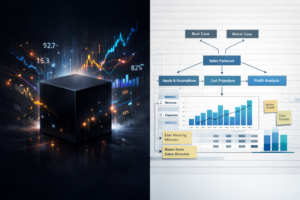
Why AI forecasting matters in finance
Forecasting in finance is no longer a periodic exercise. Many teams are being asked to update forecasts more frequently, respond to changing business conditions faster, and explain forecast movements more clearly.
Used well, AI forecasting tools can help finance teams accelerate forecasting cycles, improve consistency, support scenario thinking, and reduce manual effort. This is accelerated when business context, in plain Engligh, can be used as an input.
But finance forecasting is different from general AI use.
Finance teams are not looking for novelty. They are looking for tools that support planning, judgement, accountability, and decision-making. The market does not need more forecasting hype. It needs simple tools finance teams can and will actually use.
The problem with many AI forecasting discussions
A lot of the discussion around AI in forecasting focuses on speed.
That is understandable. Faster forecasting is valuable.
But speed alone is not enough for finance. A forecast still needs to be credible, explainable, usable in real planning cycles, aligned to business context, and subject to review and challenge.
If a tool generates numbers quickly but cannot show the logic, reflect business reality, or fit existing workflows, it may create more friction than value.
For most teams, the real test is simple: does this make forecasting faster without making it harder to explain?
The main types of AI forecasting tools
A practical way to evaluate the market is to group tools into categories.
1. General AI productivity tools
This category includes tools such as Microsoft 365 Copilot and Claude. These tools are designed to help teams work faster with documents, spreadsheets, notes, and analysis.
For finance teams, they can support tasks such as summarising information, drafting commentary, assisting analysis, and reducing repetitive manual work. They can be a useful first step into AI because they sit close to the way teams already work.
Their limitation is that they are usually not a forecasting method by themselves. They may help around the process, but they do not necessarily provide a structured forecasting approach. It is also worth recognising that this category is evolving rapidly and will continue to change as general-purpose AI tools become more deeply embedded in workplace software.
They can also introduce risk if teams start treating them as a forecasting assistant without properly understanding how and where data is being used, what controls are in place, and how any forecast or output is actually being generated. For finance teams, that matters because speed is useful, but not at the expense of governance, explainability, or confidence in the result.
2. Enterprise planning and performance management platforms
This category includes platforms built for broader planning, forecasting, reporting, and performance management, including solutions such as Calumo, Essbase, TM1, Board, Anaplan, Adaptive, Pigment and JustPerform.
These tools tend to support more governed planning workflows, cross-functional collaboration, scenario modelling at scale, and stronger integration across finance processes.
The trade-off is usually greater implementation effort, more process change, and a longer path to value.
Many of these EPM platforms are now introducing AI capabilities in different forms, and finance teams should look to take advantage of them where they are useful. The key is understanding what investment is required to implement them effectively, how they fit into the broader planning model, and what risks surface around governance, explainability, data handling, and complexity.
Some tools will more naturally fit within and benefit from an organisation’s existing technology environment. Calumo will often feel more natural in Microsoft-oriented environments, where teams may also be better placed to take advantage of broader ecosystem capabilities such as Microsoft Azure AI Foundry, while TM1 sits within the wider IBM Planning Analytics ecosystem. In practice, that can affect integration, deployment choices, internal capability, and how easily teams can make use of new AI features as they emerge.
3. Excel-centric forecasting and FP&A tools
This category is especially relevant for finance teams that want to improve forecasting without moving away from Excel.
That matters because Excel remains central to forecasting in many organisations. It is still where many teams build models, run scenarios, adjust assumptions, and prepare management views.
Examples in this category include Datarails, Vena, Cube, and xpna. These tools aim to improve forecasting and reporting while staying close to spreadsheet-based finance workflows, rather than forcing teams into a completely different way of working.
For many teams, this is a more realistic step than a full platform replacement. The appeal is usually faster adoption, less disruption, and stronger continuity with existing models and finance processes.
That said, these tools still sit in the broader FP&A layer. They may improve planning and forecasting significantly, but they are not the same thing as a dedicated forecasting tool focused solely on the forecasting problem itself.
4. Forecasting tools built around structured business context
This is a narrower category, but an important one. Not every finance team needs another FP&A platform or broader planning layer. In many cases, the real need is more specific: better forecasting.
Most forecasting tools focus heavily on historical data, trends, and statistical patterns. Those are important. But finance forecasts are rarely based on history alone. They are also shaped by management commentary, hiring plans, project timing, customer changes, pricing decisions, one-off events, and leadership judgement.
That is why the most useful forecasting tools are not just the ones that generate a number. They are the ones that help combine historical evidence with natural language business context in a way that remains structured, explainable, and controlled.
This is where ForesightXL fits. ForesightXL is not an FP&A product or a broader planning platform. It is a simple Excel add-in focused specifically on forecasting. Rather than trying to replace existing finance systems or reshape the wider planning stack, it is designed to work alongside current models, finance systems, and planning tools wherever the relevant numbers can be represented in a spreadsheet.
For many finance teams, this can be a practical, low-risk first step into AI-assisted forecasting.
In practice, bringing in context can be very simple. A team might use AI to summarise a management meeting, then paste those plain English meeting notes directly into the forecasting workflow in Excel alongside the numbers. The same can apply to quarterly reports, CEO commentary, or other business updates that help explain what may happen next.
That also gives it a different practical profile. Compared with broader FP&A and planning platforms, a forecasting-specific tool can be much lower cost, require little or no implementation time, and deliver value far more quickly. If it is secure and designed to work within the spreadsheet environments finance teams already trust, it becomes a very different proposition from adopting a larger planning platform or undertaking a more significant planning transformation.
What finance professionals should compare
When evaluating AI forecasting tools, a few criteria matter more than feature lists.
Workflow fit. Does the tool fit the way your team already works?
Explainability. Can the team understand what is driving the forecast?
Use of business context. Can the tool reflect what the business actually knows right now? Can it handle plain English?
Control and governance. Can people review, refine, and apply boundaries to the output?
Time to value. How quickly can the team get practical value?
These are the questions that matter more than feature checklists.
Comparing the Four Main Categories of AI Forecasting Tools
Not all AI forecasting tools solve the same problem. The best choice depends on how your finance team works today, how much structure your data already has, and how important explainability, speed, and workflow fit are to your forecasting process.
General AI productivity tools
Best for: Fast analysis, summaries, ad hoc support
Strengths: Easy to access, flexible, useful for research and first-pass thinking
Limitations: Not purpose-built for forecasting, limited governance, weak auditability, outputs may not be consistent enough for planning processes
Best fit for finance teams that: Want help accelerating analysis, but do not need a forecasting system of record
Enterprise planning / performance platforms
Best for: Large organisations with complex planning requirements
Strengths: Strong controls, structured workflows, enterprise governance, broad planning capabilities
Limitations: Longer implementation cycles, heavier change management, may be more than some teams need for forecasting alone
Best fit for finance teams that: Need standardisation, scale, and cross-functional planning discipline
Excel-centric FP&A tools
Best for: Teams that want to improve planning while staying close to Excel
Strengths: Familiar user experience, easier adoption, can reduce manual effort without replacing existing models
Limitations: AI capabilities may vary, and some tools still depend heavily on structured model design rather than broader business context
Best fit for finance teams that: Want to modernise forecasting without forcing a full shift away from spreadsheet-based workflows
Structured business-context forecasting tools
Best for: Teams that want forecasts shaped by operational and management context, not just historical numbers
Strengths: Can incorporate narrative drivers, business events, and management commentary all in plain English; supports more explainable forecasts in changing conditions; minutes to implement and seconds to forecast.
Limitations: Category is newer, capabilities differ by vendor, and teams still need clarity on where it fits in their broader planning stack
Best fit for finance teams that: Need forecasts that reflect what is actually happening in the business, not just patterns in past data
Evaluate AI Forecasting Based on Fit, Not Hype
The key question is not which AI forecasting category sounds most advanced. It is which one best matches the way your team forecasts, explains results, and supports decisions.
Before choosing any AI forecasting tool, finance teams should step back and define what better forecasting actually means in their business. For some teams, that means more speed. For others, it means better scenario planning, clearer explanations, or forecasts that reflect management’s real view of changing conditions.
A useful evaluation process should focus on practical questions such as:
- Will this fit into our existing forecasting workflow?
- Can finance explain the output with confidence?
- Does it reflect real business context, not just historic data?
- Will the team adopt it quickly and use it consistently?
- Does it improve forecast quality without adding unnecessary complexity?
The strongest evaluation process is not based on vendor claims or headline AI features. It is based on practical fit: workflow fit, decision fit, and finance-team fit.
If your team is reviewing AI forecasting options, start by comparing categories first, then assess vendors against the needs of your forecasting process, your governance requirements, and the level of explainability your business expects.
Why Excel Still Matters in AI Forecasting
Excel remains deeply embedded in forecasting because it is flexible, familiar, and practical. Teams use it to model quickly, apply judgement, test scenarios, and work directly with business assumptions.
For many organisations, the best path into AI forecasting will not be replacing Excel. It will be improving forecasting inside Excel with better structure, better context handling, and better explainability.
That is also why the best AI forecasting tool will differ from one organisation to another. Some teams need productivity support. Some need broader planning capability. Some need stronger Excel-based forecasting. And some need a better way to combine historical data with current business context in a disciplined way.
The better way to evaluate AI forecasting tools is not by asking which one sounds most advanced, but by asking which one best fits the way your finance team works, supports better forecasting, and helps explain results with confidence.